Improved video synchronisation
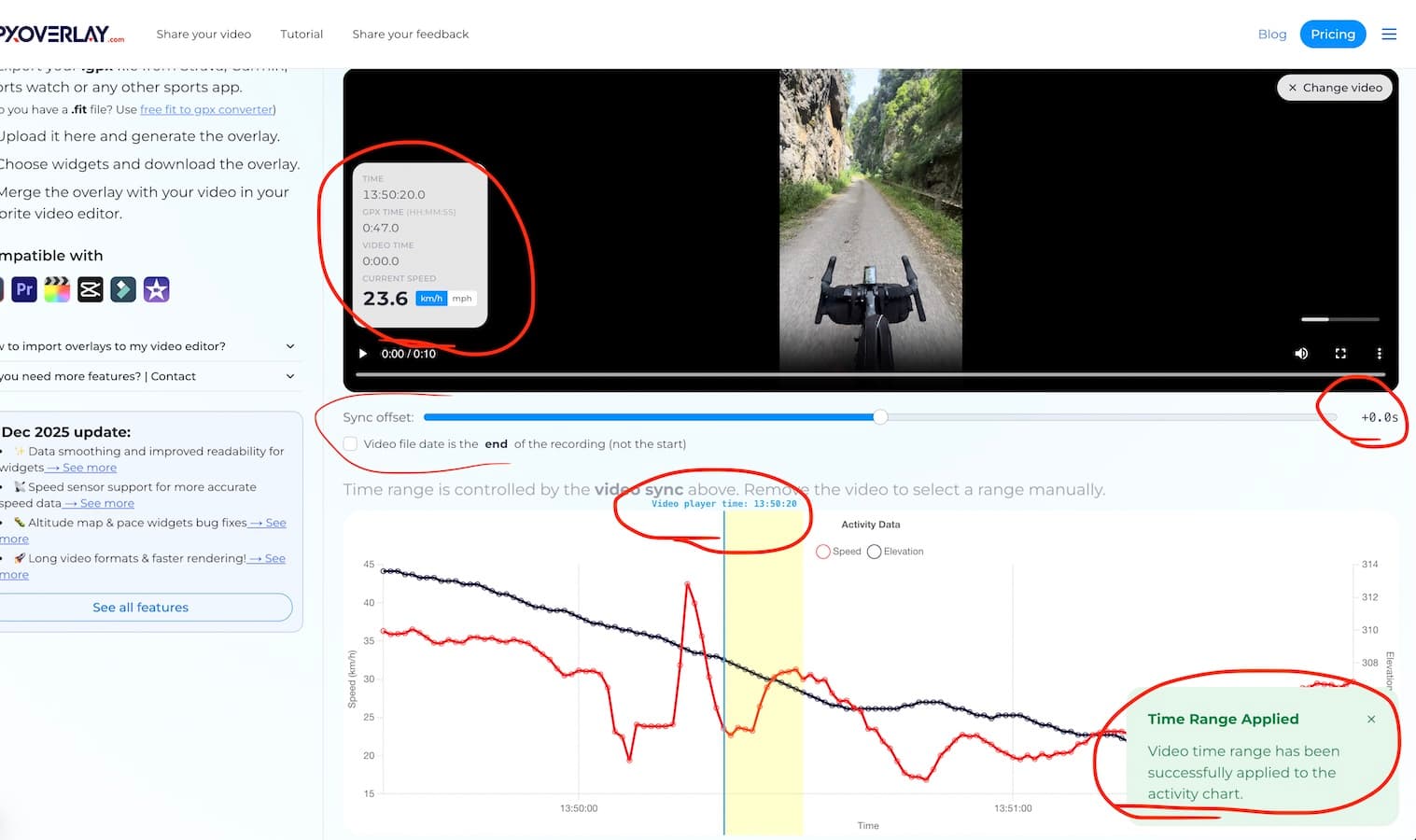
Synchronising your GPX with your video got more reliable. After uploading your GPX file, you can now also select your video. The video is not uploaded anywhere — it stays in your browser only. The app reads its metadata (recording start time and duration) and uses that to sync with your GPX activity.
- More video formats supported — higher chance it works with your camera out of the box.
- Indicate the date is the start or end of the video — sometimes the date in the metadata is the end of the recorded video. So you can adjust it here.
- Offset slider — fine-tune the sync in 0.5 s steps if the automatic result is slightly off.
- Speed units — the video preview shows both km/h and mph. It is used only as a preview to make the sync easier. The unit for the overlays you select later.
- Activity chart — shows speed and elevation to help you see reference for the sync.
When you are happy with the sync, hit Next at the bottom — the rest of the flow is unchanged.
If you run into any issues, let me know.
Try the Improved SyncUpload your GPX and select your video to sync them automatically with the new improved flow.
View Pricing Options