Data Smoothing and Readability Improvements
Sometimes GPS or other sensors can produce very spiky data that looks distracting in your video. We've introduced smoothing for some widgets to make them more stable and more readable on the final video.
Data Smoothing
The following widgets now use smoothing to reduce erratic jumps. The smoothing alghoritm is weighted moving average. The smoothing windows are:
- ✈️ Vertical Speed (m/s): 2 second (changed from 0.667 second)
- ⭐️ Speed (km/h): 2 second
- ⭐️ Speed (mph): 2 second
- 🏃 Min/Km: 8 second
- 🏃 Min/Mi: 8 second
- ⭐️ Power: 4 second
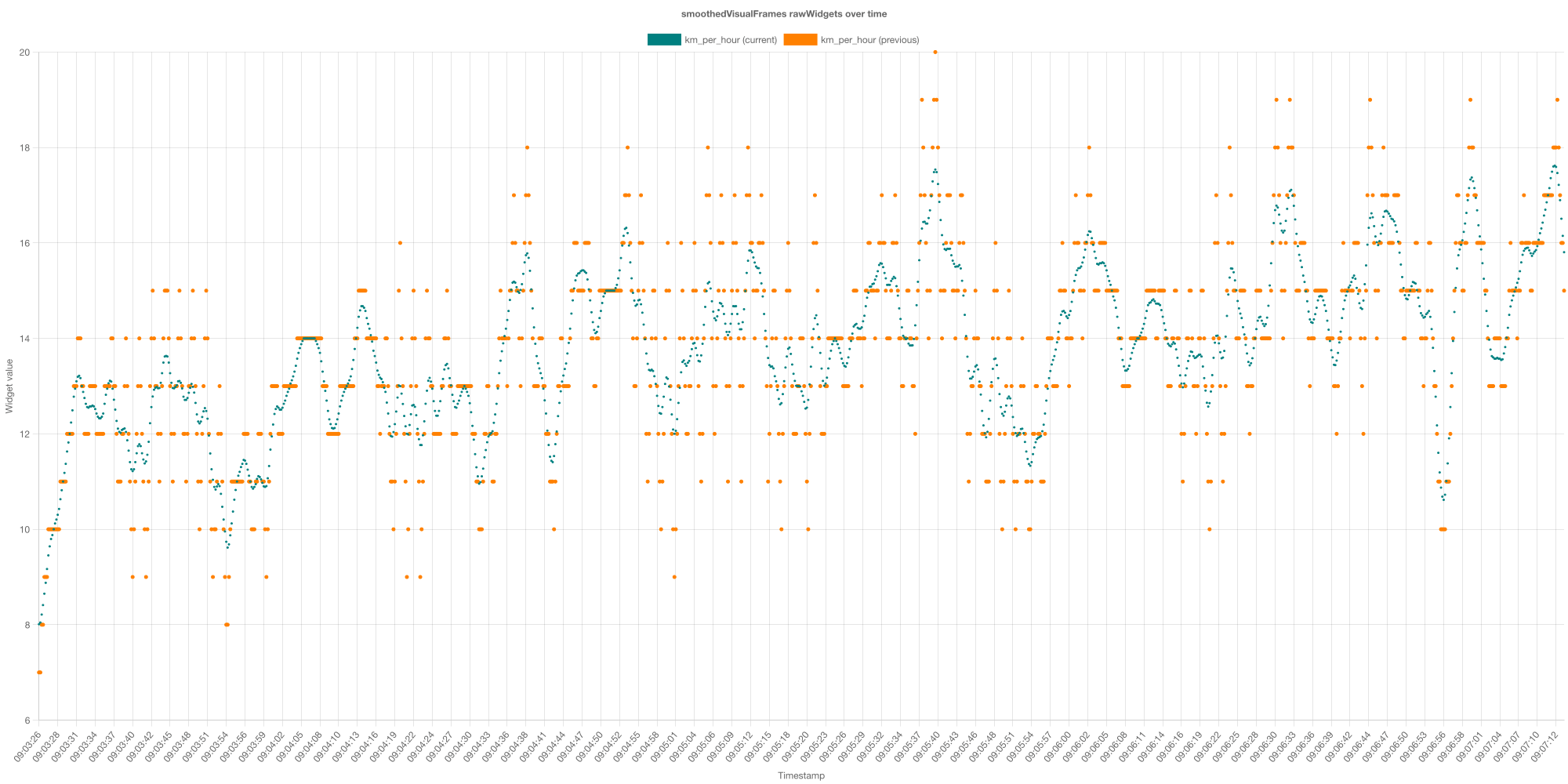
The orange dots represents the data points that are in the gpx files that was recorded by GPS with a faulty precision. It's very bumpy and not accurate. The green dots represents the same data, but smoothed by app. This is how it looks better on the final video.
Improved Readability
Some widgets don't need to update 20 times per second. We've limited the refresh rate to make them easier to read:
- 🏃 Min/Km and 🏃 Min/Mi: 2 refresh rate per second
- ⭐️ Power: 1 refresh rate per second
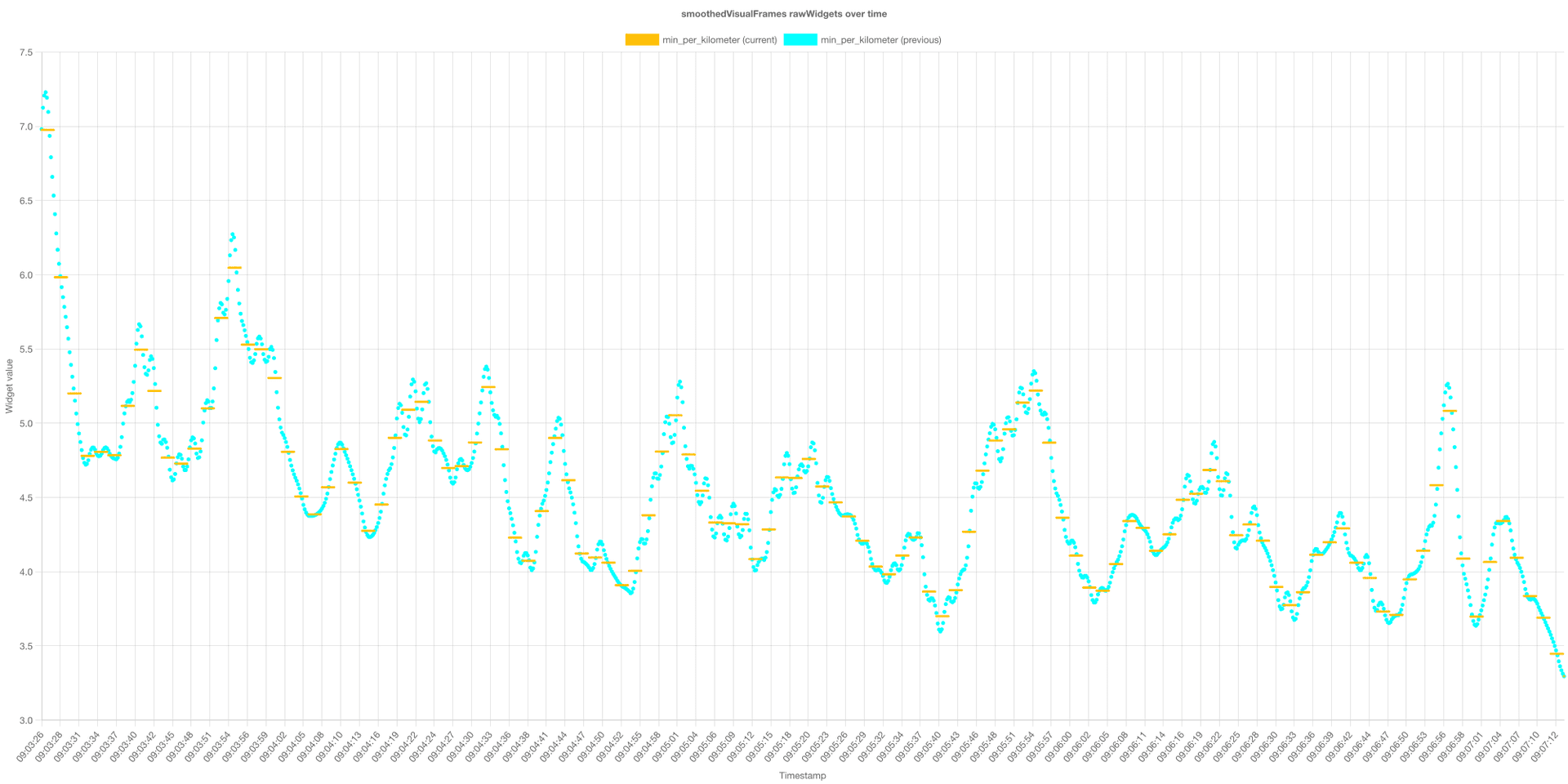
This makes the widgets more readable and less distracting in your final video while still showing accurate information.
The yellow line shows for how long the widget keep the same number on the video in relation to the data underneath (neon blue color).
Smoothing for vertical speed velocity (m/s)
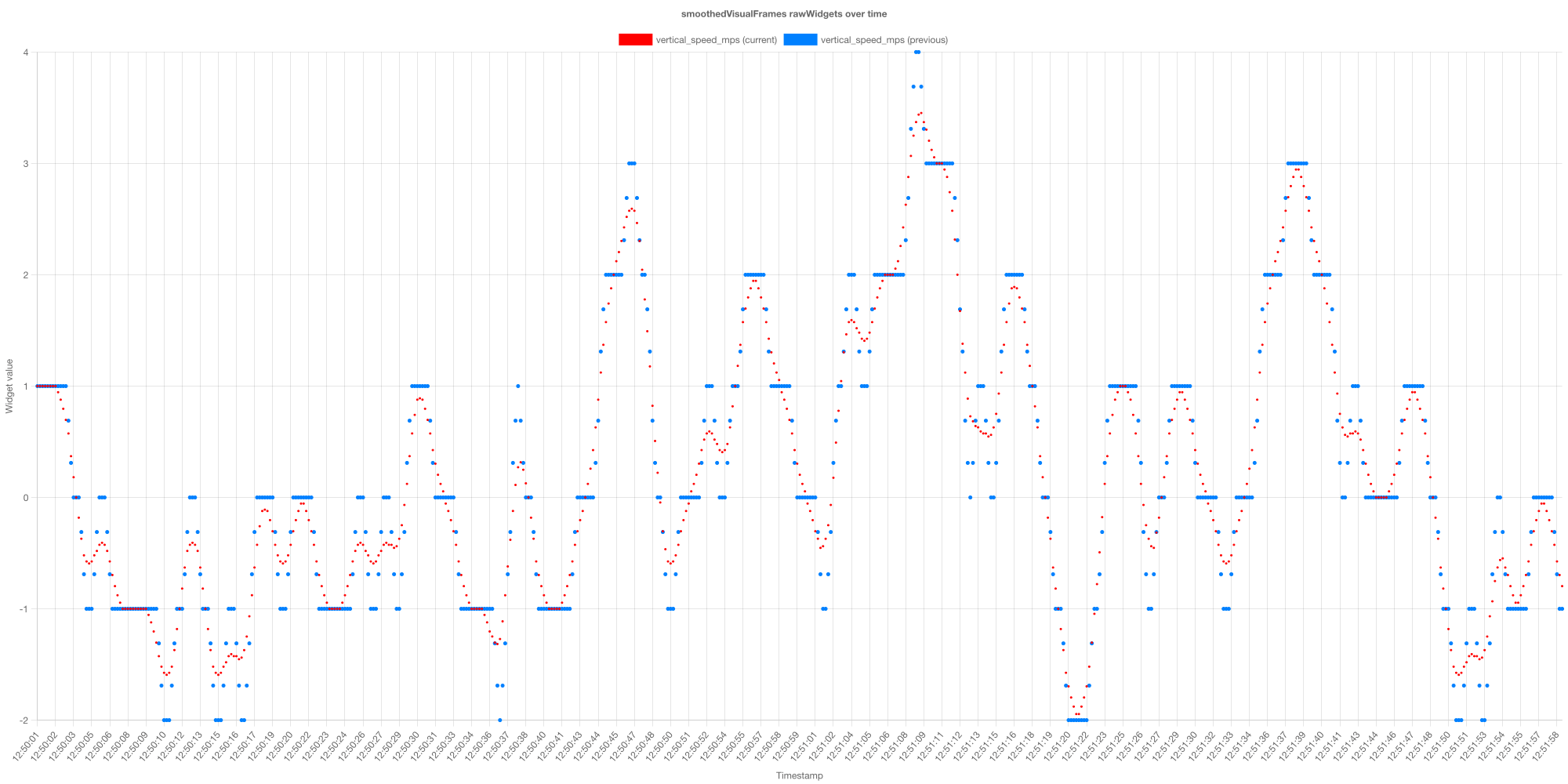
For the past month, the the VSI m/s were smoothed with only 0.667 weighted moving average. Sice now, the smoothing window is 2s. There is comparison below. The blue dots represent 0.667 window. The red color represents 2s window.